Extra work, priced on the ticket, signed before it becomes paper.
Open the ticket from the job, add the lines, and the price on screen is cost plus the company's markup. Nothing is sent and nothing is charged until a person picks a destination and confirms.
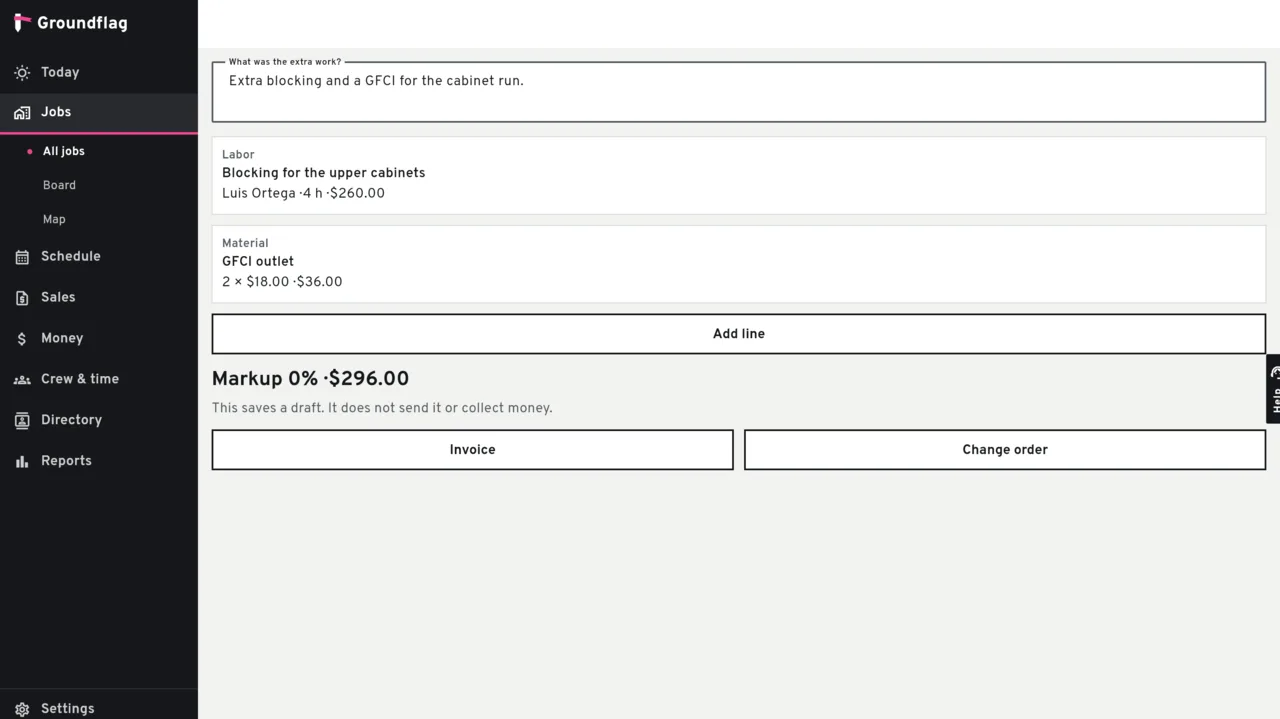
The lines
Labor.
Hours only for someone in the company. The rate is the line's, or the company's hourly labor rate when the line does not set one. With neither, the hour is refused.
Material and equipment.
Quantity and a unit cost. Equipment here is a line on the ticket, not a piece of gear at a customer's address.
Markup.
The company's default markup, read live while the ticket is a draft and stored on the ticket when it is signed.
Sign, then confirm
The signature is a name, a role (client or GC) and a PNG you upload. A pasted address is refused, and so is a JPEG. A ticket with no description or no line cannot be signed.
Signing locks the ticket and does not create a document. Converting asks you to confirm, on screen, and to pick one destination: a draft invoice or a draft change order. The second try of the same destination returns the document that already exists. The other destination is refused. Nothing is sent.
Questions
Does signing send the invoice?
No. Signing locks the ticket. The invoice or the change order is a draft, and it has not been sent.
Can I turn one ticket into both an invoice and a change order?
No. One ticket, one destination.
Keep reading
Questions? Write to hello@groundflag.com