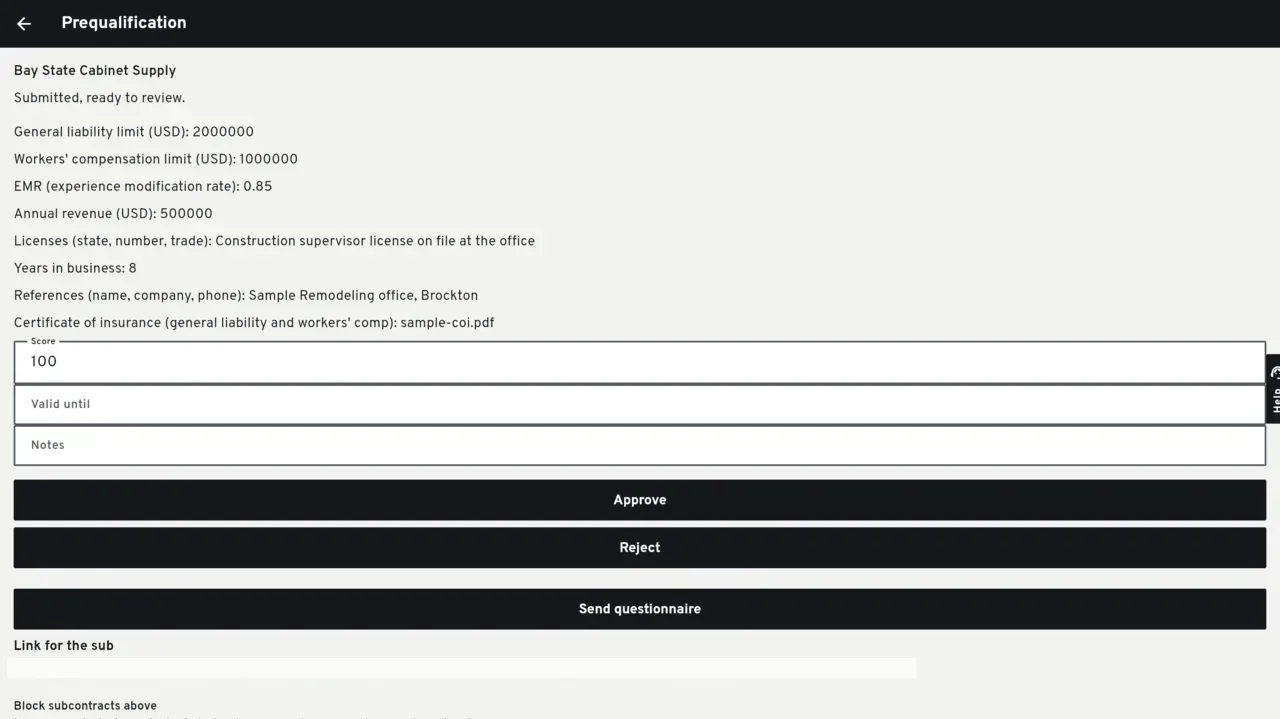
The sub answers once. The office writes the score that counts.
The questionnaire lives on the vendor, not on a job. The first read creates the default questions. You can edit them in English, Spanish and Portuguese, and restore the default set.
What the link does
It freezes the questions.
Sending the link stores the questionnaire on that send. Editing the form later does not rewrite a link the sub already has. The same send token returns the same send.
No password.
The sub opens a link on your company address and answers once. A PDF or a photo, up to 20 MB, is uploaded onto the vendor file.
A suggested score, then yours.
The suggestion runs from 0 to 100, split evenly across the questions. General liability scores full from one million and half from five hundred thousand. Workers' compensation scores full from five hundred thousand and half from one hundred thousand. EMR scores full at 1.0 or below, and half up to 1.2. The office records the official score. Approving needs a validity date of today or later. Rejecting clears that date.
What it does not block
An optional ceiling on a new subcontract is off until you set a number. Off, creating a subcontract works as it does today. Bid packages are not checked. Editing a draft that already exists does not run the check again. Managing this is on the Pro plan.
Questions
Does a new link cancel an approval that is still in date?
No. A link that has not been answered yet leaves a current approval in place. The vendor screen shows the newest send, which can say sent while the older approval still counts.
Does the suggested score become the official one?
No. The office writes the score that counts.
Keep reading
Questions? Write to hello@groundflag.com