Know where the job's money stands while you can still act.
Groundflag keeps the budget, what is committed and what was actually spent by cost code, updated when the fact happens. Change orders go to the client to sign online and land in the contract and the budget the moment they are approved.
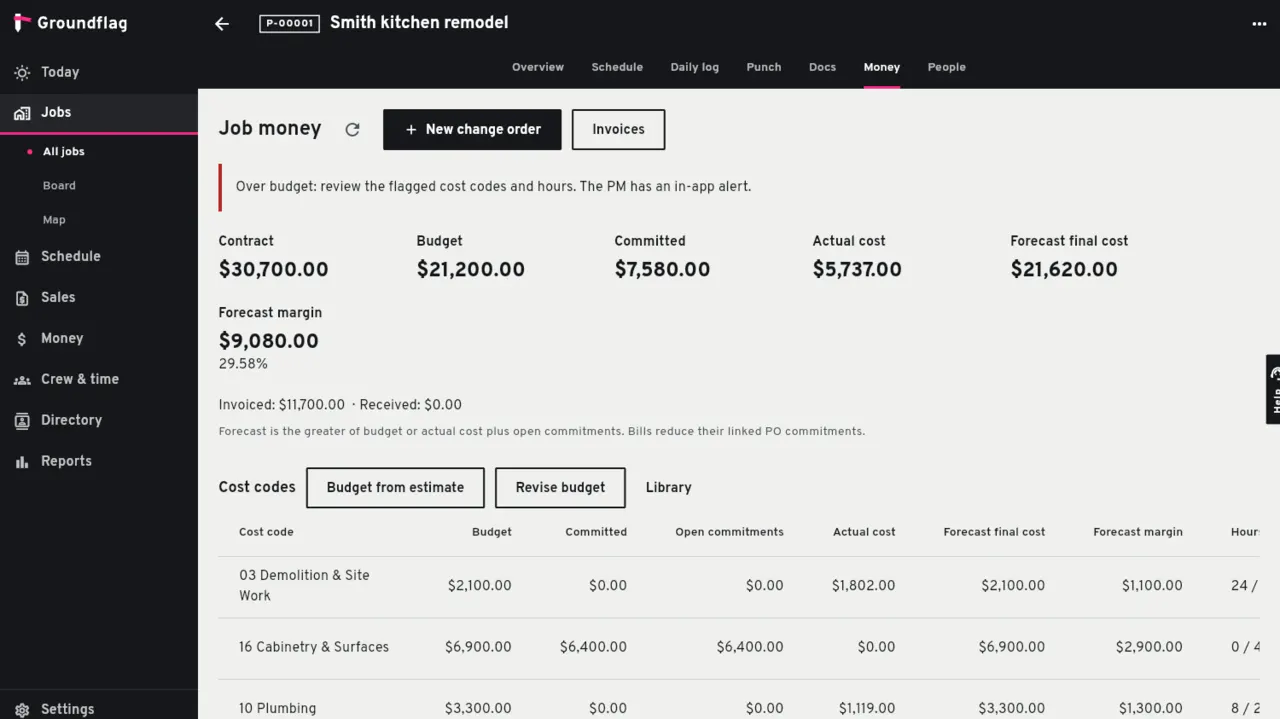
Budget, committed, actual
Cost codes.
A residential list of 23 codes and a short CSI list of 21 divisions come ready; add your own.
Budget from the estimate.
When the client accepts the estimate, its lines become the job's budget, with a history of every revision.
Committed and actual.
Committed comes from purchase orders. Actual comes from vendor bills, expenses and approved clock hours.
Forecast and margin.
The forecast for each code is the larger of the budget and what is spent plus what is still committed. Margin shows next to it, and the project manager gets an alert when cost or hours run over.
Change orders
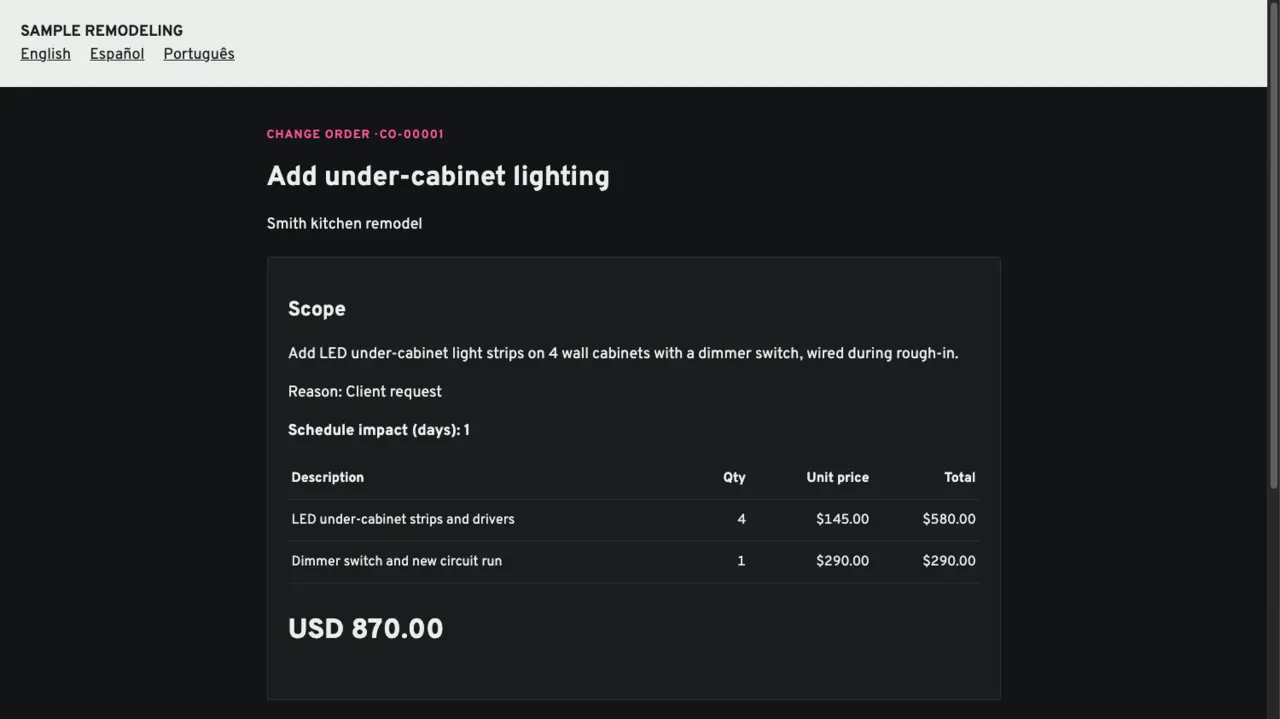
A change order carries its scope, line items, cost and price, the schedule days it adds and the reason. You send it; the client opens a link, reviews it and approves it with their name, email and consent to sign electronically. The approved version is frozen, and a deposit can be asked for in the same step.
Approved, it updates the contract amount, the budget and the next draft invoice, puts a notice on the schedule.
Not yet
Progress billing with a schedule of values, retainage, AIA G702 and G703, and lien waivers are the November 2026 target. RFIs, submittals and the WIP report come after that.
Questions
Does Groundflag use percent complete for the forecast?
No. The forecast is the larger of the budget and actual plus open commitments, so it never looks better than the money already spent.
Can the AI write a change order?
Capture can draft one from a voice note; amounts are entered and confirmed by a person before anything is sent.
Keep reading
Questions? Write to hello@groundflag.com