Clock in from the job, and the hours go where they belong.
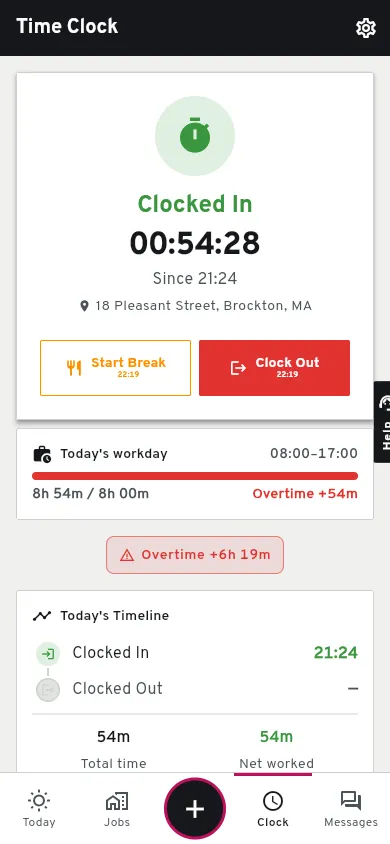
Each person clocks in and out from their phone, in English, Spanish or Portuguese. The hours land on the job, on the daily log and on the job's cost, once someone in the office approves them.
On the phone
Two taps.
Open Groundflag and clock in. Standing on an active job (within about a quarter mile), the job is picked for you; otherwise pick it from the list.
Where and who.
The GPS point is stored at clock in and clock out, with an optional photo.
Built for the field.
56-pixel targets for gloves, black on concrete for direct sun.
In the office
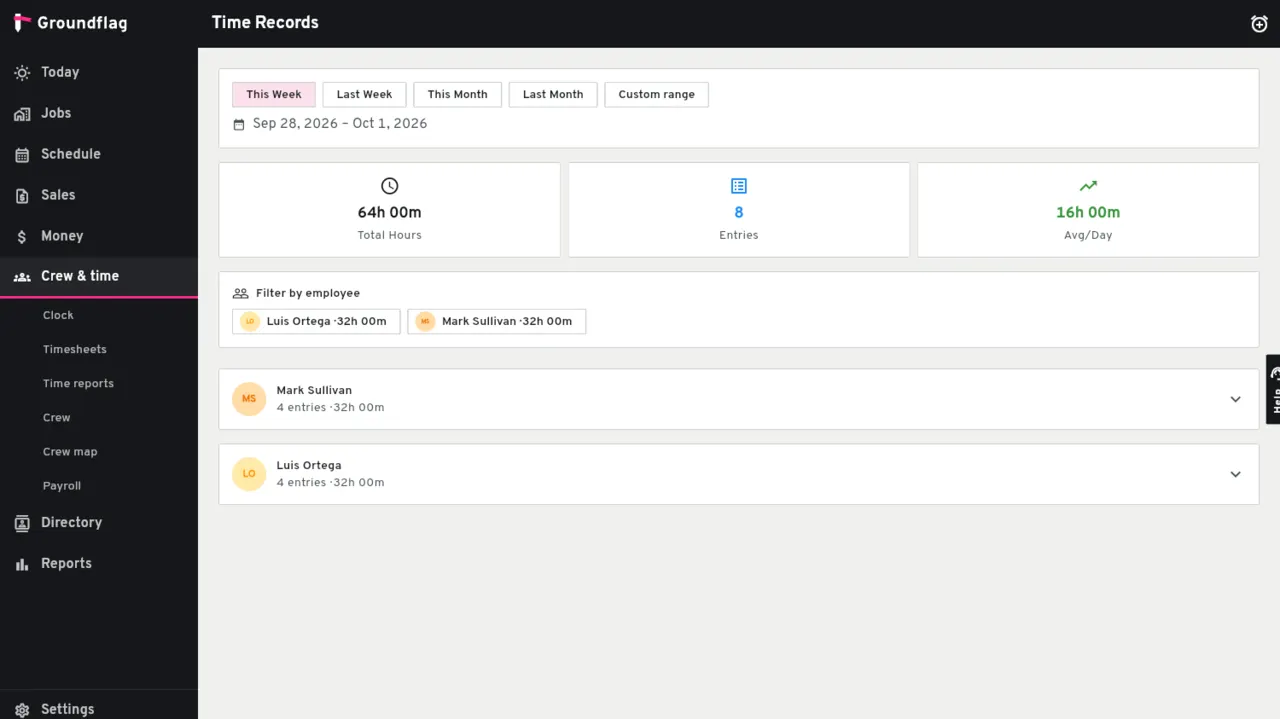
Each time card is pending until someone approves or rejects it, and a card that looks off is marked to review. Approved hours count as actual cost on the job and show by person and by trade on the daily log. The crew board on the schedule shows who is on which job. Approved time cards export in the payroll file of Gusto, ADP, Paychex, Paylocity or QuickBooks.
Not yet
Nothing blocks a clock in by its distance from the job, and there is no clock that works without signal; native apps with offline are the February 2027 target.
Questions
Do crew members pay a seat fee?
No. Groundflag is one price per company; the whole crew logs in at no cost.
When is location read?
At clock in and at clock out.
Keep reading
Questions? Write to hello@groundflag.com