For landscapers, who run the same properties all season.
A maintenance company does not sell one-off jobs: the same properties come back every week from April to November, in the same order, with the same crew. Groundflag keeps the properties, the route, the visit and the season's money on one account.
The season, kept on paper
Every property, with what it actually is.
Lawn, beds, hedge, pavement, edge: each area keeps its square feet and feet, the services owed there, the day of the week, how often (weekly, every other week, monthly), the crew and the season's start and end.
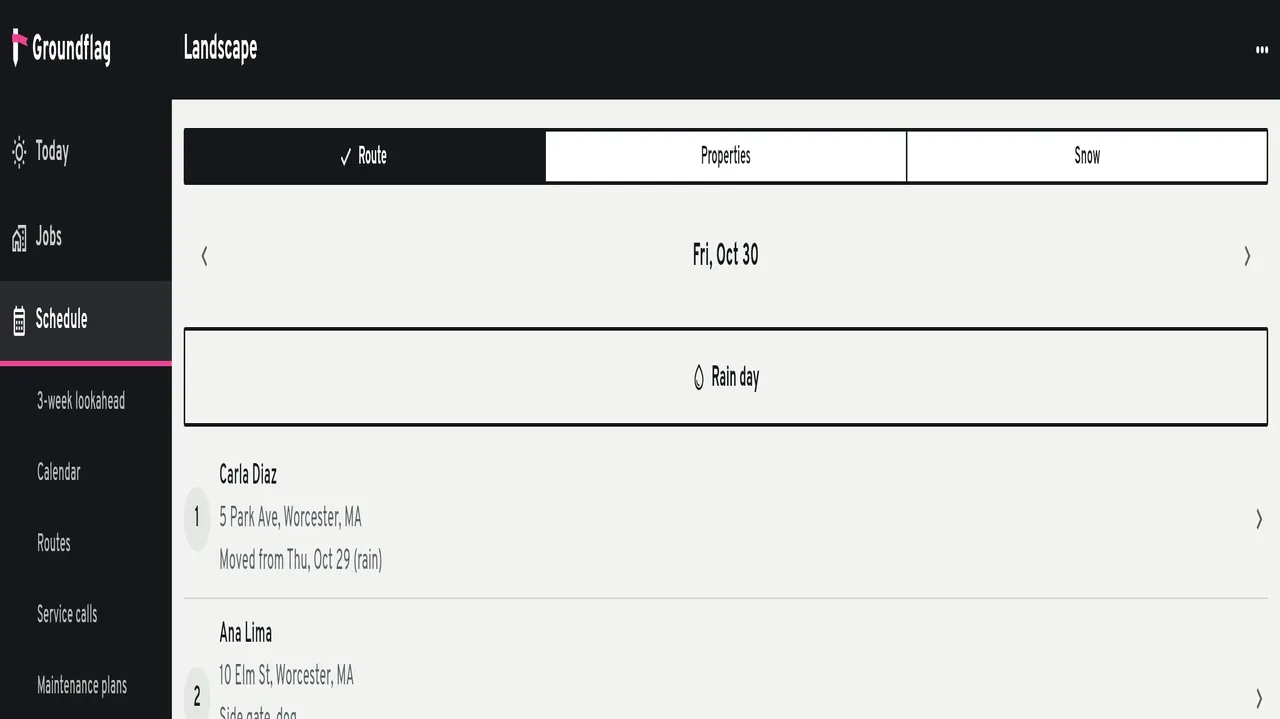
The route of the day.
The day's stops in order; drag one to fix the order, tap Optimize to put the closest first. Nothing is reordered behind your back.
A rain day moves the day, it does not erase it.
Mark the day off and every stop shifts to the crew's next working day, chained across the week (Thursday to Friday, Friday to Monday). Completed stops stay put, and each client gets the reschedule text the app already sends for a ride on the way.
The money of the season
Three ways to charge, the way you negotiated each one.
A season in fixed installments on a day you pick, per visit (one invoice per visit, or the month grouped), or hourly from the visit's minutes. Snow goes by event, by inch over a trigger you set, or by season.
The invoice goes out by itself.
A daily run bills whatever came due, and only once: each period has its own charge record, so the button and the daily run cannot invoice the same visit twice. Extras land on the month's invoice or on one of their own.
Renew the whole season at once.
Select this season's contracts, set one price bump, renew. A renewed contract does not renew again.
The visit closes the loop.
The crew ticks the services, keeps minutes per service, takes before and after photos and logs extras only when they mark them chargeable. Closing a visit sends the client the report by e-mail and, when the company has text on, by SMS in the client's language.
Chemical work you can hand to an inspector
Each application logs product, EPA registration number, rate, how much was used, where, the target, the method, wind, temperature, the applicator with their license and RUP, and start and end. Groundflag warns when a field is missing, when the wind reads over 10 mph or the day over 90 °F (check the label), and on the treated-lawn sign the posting states want (MA, CT, NY, FL). The list by period opens for the agency: one line per application with the address.
And the rest of the company
Hardscape work, a paver patio or a retaining wall, is a job on the same account: estimate, schedule, change orders, job cost, the client portal. Crews clock in at the stop with the normal time clock, and the time cards show who spent how many hours on which property.
What is not there yet
Wind and temperature are read from the label and typed, not pulled from a weather feed yet. The chemical report is Groundflag's list by period, not a pre-filled form in a state agency's layout. On iPhone, Groundflag runs as a web app for now; the native app is on Android, and offline native apps are the February 2027 target.
Questions
Do my crew members cost extra users?
No. Every Groundflag plan is one price per company with all users included, month to month, and the trial is 30 days with no card.
Does the client need an account?
No. The report, the payment link and the approval pages reach the client by e-mail and text; the portal is there when they want to see the whole job.
Keep reading
Questions? Write to hello@groundflag.com