Send construction estimates clients can approve online.
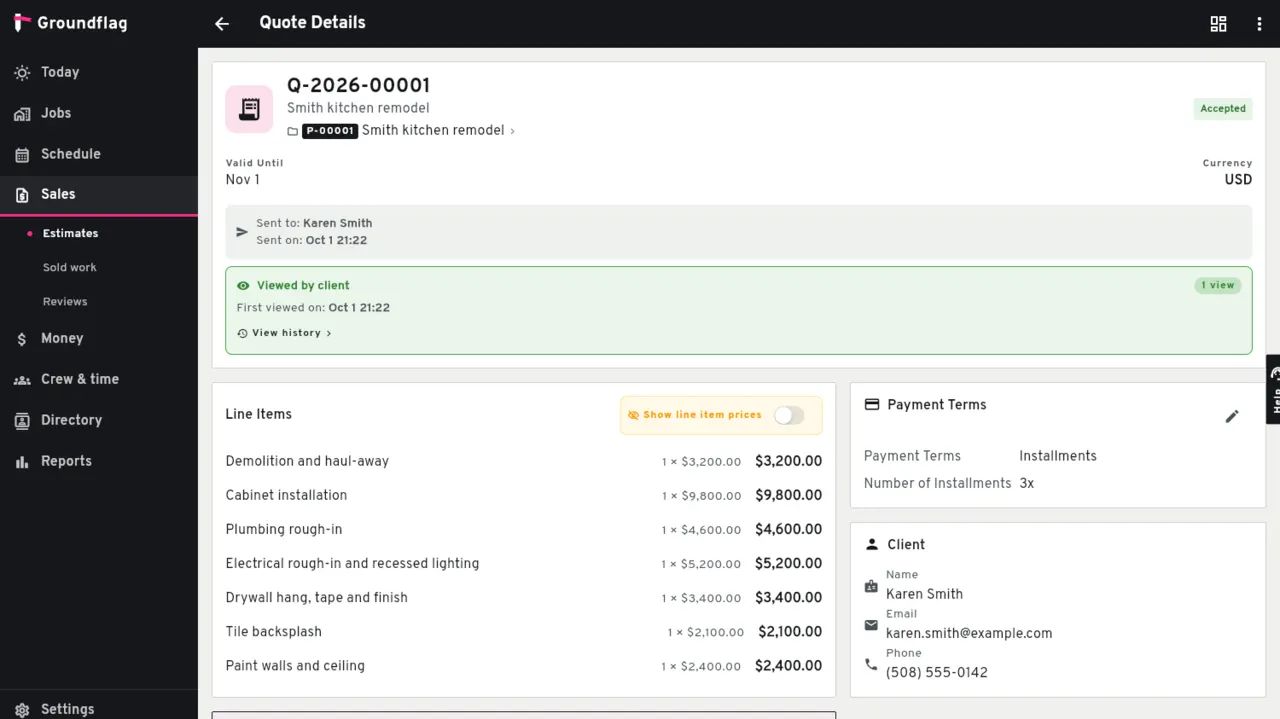
Build and send an itemized estimate from the job. Your client can review and accept it online, with an optional signature or deposit; accepted lines become the job budget by cost code.
Estimates and proposals
Accepted online.
The client opens the estimate, reads it, and accepts it with their name, email, the terms and an optional signature. A PDF is always there.
A deposit in the same step.
Ask for a deposit and the client pays it right after accepting.
The budget follows.
Accepted, the estimate's lines become the job's budget by cost code.
Invoices
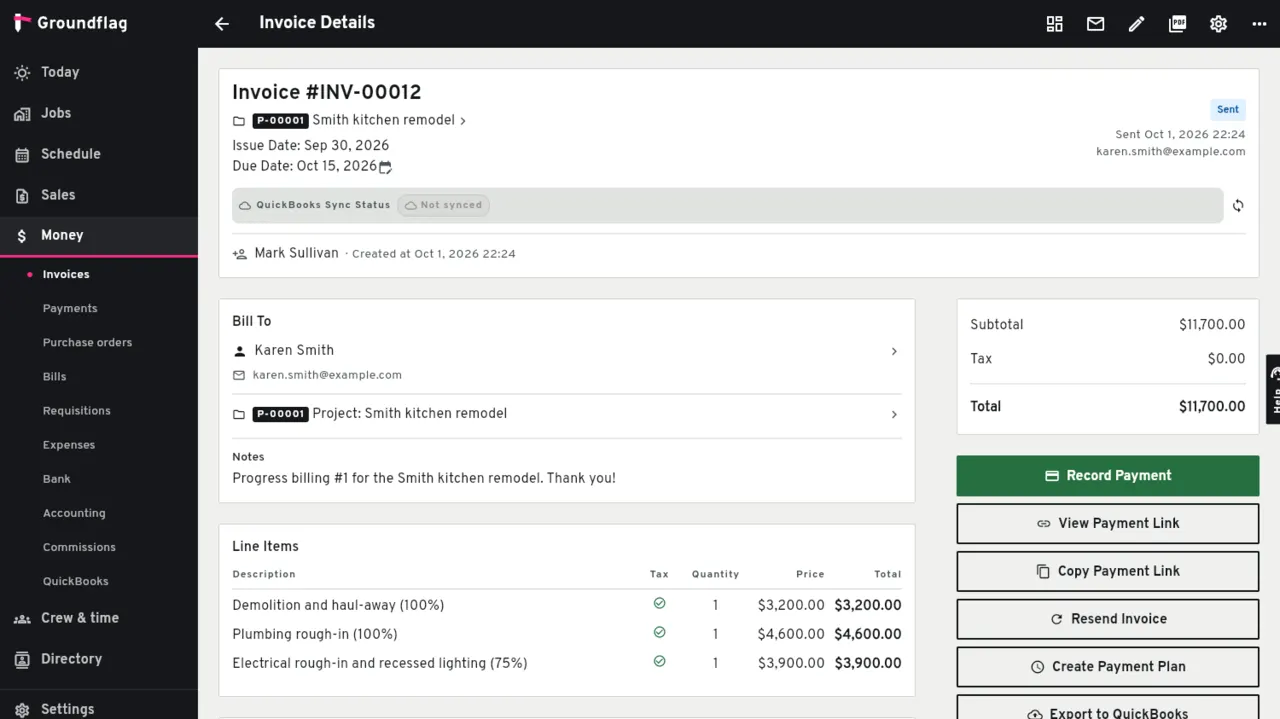
Invoices go out from the job, with approved change orders already in the next draft. The client pays by card in the portal through the payment account your company connects in Settings (Stripe, among others). Bank transfer (ACH) works through Helcim.
QuickBooks Online
The two-way sync of customers, vendors, estimates, invoices and payments is built and tested against Intuit's sandbox. It opens to customers once Intuit approves our production app.
Faster estimates
Draft with AI turns the scope you type into estimate lines, with your price book ahead of its guess; nothing is saved until you review it. Save an estimate's lines as a company template and start the next one from it. A cost catalog with assemblies by trade turns measurements into lines.
Progress billing
Bill a percent of each line of the accepted estimate now and the rest later, or run pay applications on a schedule of values with retainage.
Questions
Which payment providers work?
Your company connects its own payment account in Settings, Stripe among others; the money goes to your account.
Keep reading
Questions? Write to hello@groundflag.com