The week shows the gap. It does not page anyone.
Open it from Crew and time. The week runs Monday to Sunday in the company time zone. Supply is eight hours per person per work day. Approved time off reduces that supply.
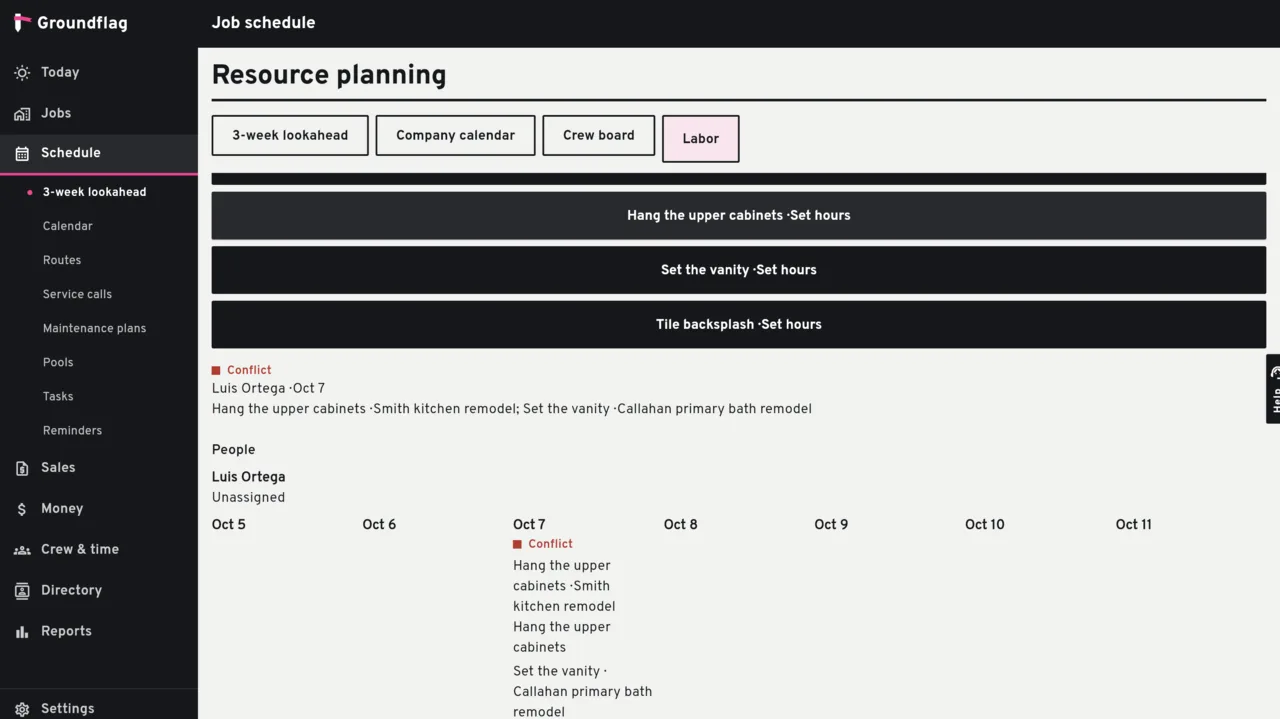
What counts as demand
Budgeted hours, not the bar.
Hours live on a labor line beside the task. The length of the Gantt bar is not demand. A task with no hours does not show the job as short.
A crew, and work left.
Demand counts only when the task has a crew, has budgeted hours, and is under 100 percent. A task with hours and no crew lands in an unassigned bucket. A task with a crew and no hours is listed so someone can fill them in.
A person on two jobs.
The same person on two open tasks, on two jobs, the same day, is a conflict. The same job is not a conflict. A finished task does not count.
What this screen does not do
Certifications that expire within 30 days are shown. The reminder itself is sent by the safety tools, not by this week view. Nothing here notifies a person. Without the feature on, the labor view falls back to the lookahead, and the button is not on Crew and time.
Questions
Does putting hours on a task move the Gantt?
No. Saving or clearing the hours does not change the task dates, the duration or the revision of the schedule.
Does pending time off reduce the day?
No. Approved time off does. Pending and rejected do not.
Keep reading
Questions? Write to hello@groundflag.com