Build a job schedule
The schedule lives on the job, in the Schedule tab, as a Gantt chart.
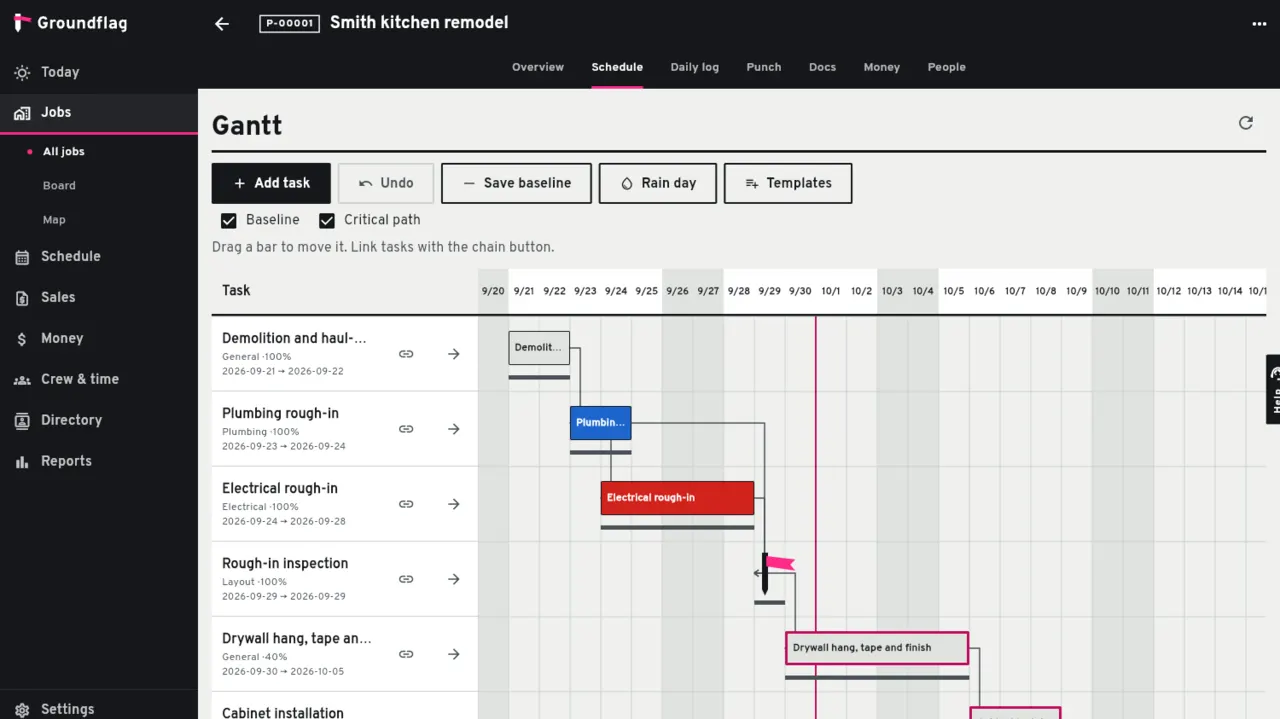
Start from a template or a file.
Use a template for the job type, import a Microsoft Project XML file, or add tasks one by one.
Link the tasks.
Pick what each task waits for: finish to start is the usual, with a lag in days when concrete has to cure.
Save the baseline.
Once the plan is agreed, save it as the baseline; later you will see the drift against it.
Move work as it happens.
Drag a bar or use the move button. What depends on it moves too. Undo puts it back.
Rain day.
One tap pushes the day's work and writes the delay into the daily log.
Telling people
People on a task that moved get an email. To text subs who only have a phone number, turn the rescheduled message on in Settings, SMS.
Keep reading
Questions? Write to hello@groundflag.com