One place for your client, at your company's address.
Each company gets its own client portal address. Your client opens it to approve, sign, pay and ask, instead of digging through email threads.
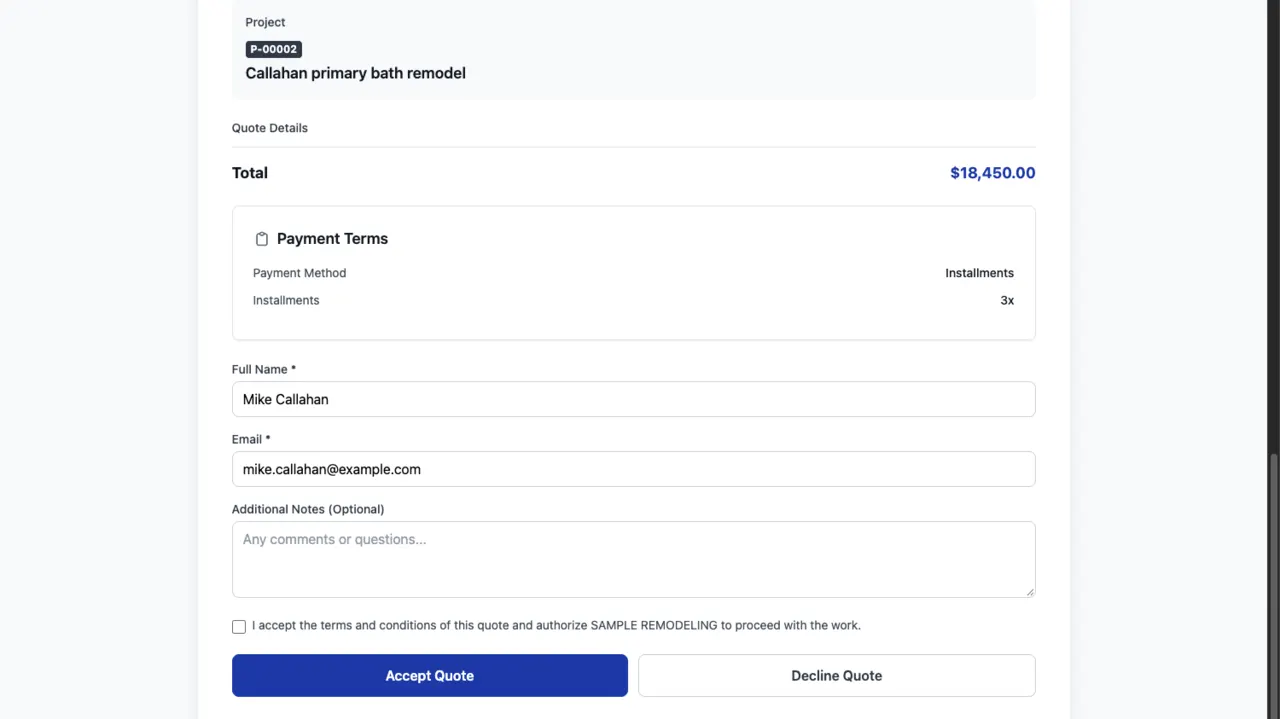
What the client can do
Approve.
Estimates and change orders, approved or declined online, with the PDF at hand.
Sign.
Contracts, signed in the portal and kept as a PDF.
Pay.
Invoices and deposits by card, and saved payment methods for the next one.
Talk and share.
Messages with your office, and files both ways.
Follow the job.
The client's projects with their timeline, and a request for a new quote.
You decide what shows
Every section of the portal can be turned on or off for your company, so the client sees only what you use.
Not yet
A portal for subs and vendors, and messages translated between the office, the crew and the client, are the December 2026 target. Selections and allowances have no date yet.
Questions
Does the client pay to use the portal?
No, and they do not count as a user: Groundflag is one price per company.
Which address does the portal use?
Your company's own address under groundflag.com, chosen when you set up the company.
Keep reading
Questions? Write to hello@groundflag.com