A JobTread alternative with no per-user fee.
Looking for a JobTread alternative? Groundflag runs estimates, budgets and job costing, change orders, the schedule and the daily log at $149 a month for the whole company, with every screen in English, Spanish and Portuguese. JobTread is good at estimating and job costing, and its customers like its support; it charges for each office user. Five internal users are $279 a month on JobTread, or about $223 a month billed yearly, and field crew who only log photos and the daily note can be free. Below is what it costs, where it is stronger, and how your customers and catalog come over.
Where JobTread is strong
JobTread has a 4.9 average on Capterra over 143 reviews, with 5.0 for customer service. Its estimating, budgets and job costing are its strength, it has a public API, webhooks and Zapier, and it connects to QuickBooks Online (one way, JobTread to QuickBooks), QuickBooks Desktop, Gusto and CompanyCam. It is also where many Contractor Foreman users go when they leave.
On November 12, 2026 JobTread published AI Cost Inbox: forward a vendor invoice or receipt to a unique address and AI drafts a bill matched to the vendor, job and budget line for review. Groundflag has had the same path since October 23, 2026 (see /help/vendor-bills-by-email): nothing saves until you confirm.
How JobTread prices
On the pricing page read November 6, 2026, JobTread still lists $199 a month with one internal user, then $20 a month each through the 10th, $15 a month from the 11th, $10 a month from the 21st and $5 a month from the 31st. Annual billing saves 20%: about $159 a month for the first user, then $16 a month through the 10th, $12 a month from the 11th, $8 a month from the 21st and $4 a month after that. Five internal users cost $279 a month, or about $223 a month billed yearly. A 10-person office pays $379 a month month to month. There is no setup fee.
The same page says who is free. Vendor, sub and customer portal users are free. Field crew who only upload photos, log daily notes, view the schedule or check off tasks can be free users too. People who manage jobs, build schedules, track time or open reports are internal users and are billed.
Its Capterra reviews name the cost too: "The thing I like least about job tread is the cost."
How Groundflag is different
No user math.
Crew is $149 a month and Pro $199, for the whole company, office included.
The crew in their language.
Every screen in English, Spanish and Portuguese, chosen by each person.
Developers welcome.
A public REST API with OpenAPI docs, signed webhooks and a Zapier app.
Field first.
A daily log by voice and a time clock with GPS at clock in and out, built for gloves and sun.
What Groundflag does not do yet
Estimates can be drafted by AI from the scope, saved as company templates or built from a cost catalog with assemblies by trade, and progress billing works today. JobTread's estimating still goes deeper on large catalogs. The apps are on the App Store (iPhone) and Google Play (Android).
Other JobTread alternatives
Builders and remodelers who compare JobTread usually look at a few more tools. Each one fits a different shop, and each has its own side-by-side page with sources:
Buildertrend.
Built for custom home builders and priced by quote, well above JobTread's list price; its page has the archived numbers.
Contractor Foreman.
A long feature list at a lower price than Buildertrend; its plans are set by how many users you have.
CoConstruct.
Buildertrend bought it in February 2021 and is moving its builders over, so its users are choosing where to go.
Jobber.
Strong at booking service work and keeping customers informed, lighter on job costing.
Groundflag.
Job costing with change orders and the field day in one app, one published price for the whole company, and every screen in English, Spanish and Portuguese.
Side by side
| Groundflag | JobTread | |
|---|---|---|
| Office of 10 people | Crew: $149 a month | $199 + 9 users = $379 a month |
| 5 internal users, month to month | Crew: $149 a month, every user included | $279 a month ($199 a month plus four at $20 a month) |
| 5 internal users, billed yearly | Crew: $124 a month ($1,488 a year) | about $223 a month (about $159 a month plus four at $16 a month) |
| Field crew, photos and the daily log only | Included. No separate field seat | Free. Not billed as an internal user |
| Per-user fee | None | $20 a user, stepping down past 10 |
| Free trial | 30 days, no card | No trial; 30-day money-back on monthly |
| QuickBooks Online | Two-way, change orders included; production connection configured, first live customer sync not verified yet | One-way, JobTread to QuickBooks |
| Spanish interface | Every screen, plus Portuguese | Not verified |
| Warranty requests from the client | From the client portal on a finished job, with a photo; each one lands on the job's punch list | Yes, Warranty Management (new in 2026) |
| Vendor bills by e-mail | Forward to bills-…@groundflag.com; AI fills a draft, you save (/help/vendor-bills-by-email) | AI Cost Inbox (November 12, 2026): forward invoices to a unique address; AI drafts bills for review |
Questions
Can my subs and clients log in?
Yes, at no cost: Groundflag never charges per user.
Is job costing live?
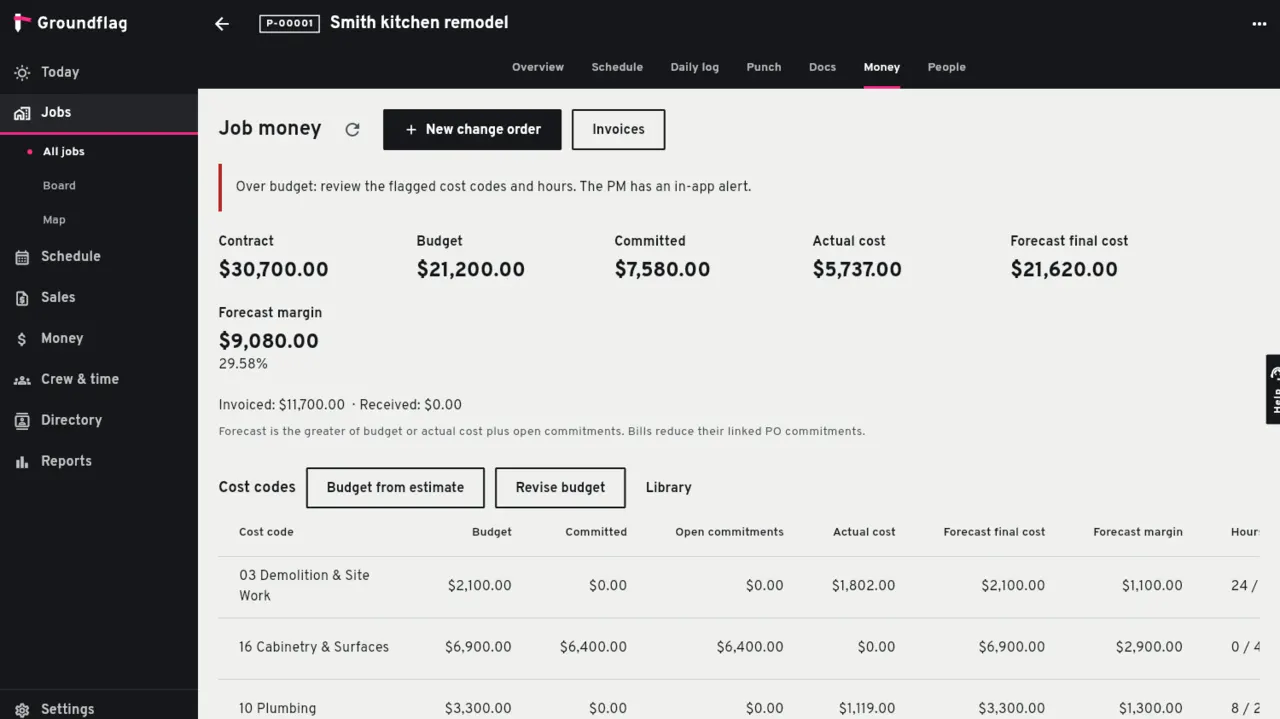
Yes. Cost codes, budget, committed and actual, and change orders work today.
How much does JobTread cost?
Month to month, JobTread lists $199 a month with one user, then $20 for each internal user, stepping down to $15 from the 11th, $10 from the 21st and $5 from the 31st. A 10-person office pays $379 a month. Groundflag Crew is $149 a month for the whole company, every user included.
Can my clients send warranty requests?
Yes. Turn on warranty requests in Settings > Client portal: on a finished job the client reports the problem from the portal, with a photo, it lands on the job's punch list and the team gets an e-mail. JobTread added the same idea in 2026 as Warranty Management.
Can I forward vendor invoices by e-mail?
Yes. Each company gets a bills-…@groundflag.com address; AI reads the PDF or photo into a draft bill and nothing saves until you confirm (see /help/vendor-bills-by-email). JobTread published the same idea on November 12, 2026 as AI Cost Inbox.
Does JobTread charge for field crew?
Not always. On the pricing page read November 6, 2026, vendor, sub and customer portal users are free, and field crew who only upload photos, log daily notes, view the schedule or check off tasks can be free users too. People who manage jobs, build schedules, track time or open reports are internal users, at $20 a month each through the 10th. Groundflag does not split the crew: Crew is $149 a month for the whole company, or $124 a month billed yearly.
What does JobTread cost for 5 people?
Five internal users are $279 a month, or about $223 a month billed yearly. Groundflag Crew stays $149 a month, or $124 a month billed yearly, whether the fifth person is in the office or in the field.
Can I bring my customers and catalog from JobTread?
Yes. In JobTread, open Customers or the Catalog, click the gear icon, turn on the fields you want and export the view as CSV from the Details tab. In Groundflag, Import data with JobTread as the source matches cost item names, unit cost and unit price, and shows a preview before anything is saved.
Sources
- JobTread pricing, checked on November 6, 2026
- JobTread reviews on Capterra, checked on October 14, 2026
- JobTread integrations, checked on October 14, 2026
- JobTread Warranty Management, checked on October 29, 2026
- JobTread AI Cost Inbox, checked on November 12, 2026
Keep reading
Questions? Write to hello@groundflag.com