A CompanyCam alternative that runs the whole job, photos included.
CompanyCam is the photo app crews like to use. Most companies pay for it next to a second tool for estimates, schedule and invoices. Groundflag keeps the photos on the job with the rest of the work, charges one price for the whole company, and brings your CompanyCam photos over.
Where CompanyCam is strong
CompanyCam is built around the camera: timestamped photos and video, annotations, before and after layouts, offline capture that syncs later, native iOS and Android apps, and LiDAR room measuring on supported iPhones. It also added a price book, proposals, invoices and payments for US companies, and it connects to tools like Jobber, JobNimbus, JobTread and QuickBooks Online. If photos are the only thing you need software for, it is hard to beat.
What it costs
Month to month, CompanyCam lists Core at $79 a month with one user (two at most), Crew at $149 a month with three users and Scale at $299 a month with three users; each extra user is $34 a month. Billed yearly, the same plans are $63, $119 and $249 a month, and an extra user $29 a month.
So a crew of 8 on the Crew plan pays $319 a month month to month, for photos, and still needs something to schedule the job and track change orders, budget and costs.
How Groundflag is different
Photos where the job is.
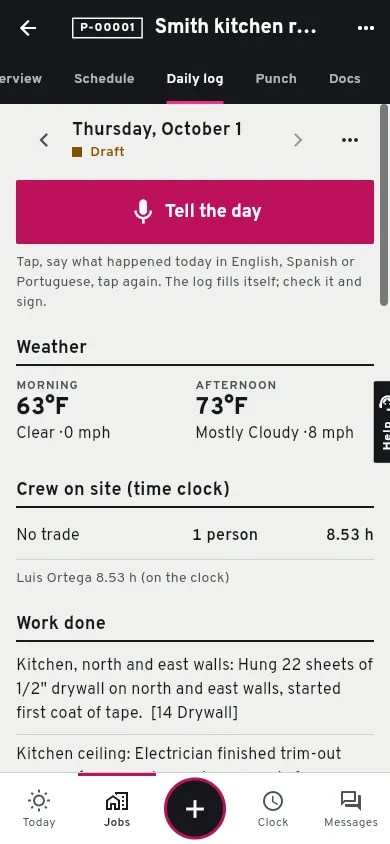
Photos live on the job and in the daily log, up to 60 a log, with markup on the photo and a photo report PDF for the client or the adjuster.
The rest of the job too.
Estimates the client accepts online, a schedule with dependencies, change orders, budget and job costing, invoices and the time clock.
No user math.
Crew is $149 a month for the whole company, every user included, month to month.
Your CompanyCam photos come with you.
Connect with a CompanyCam token and Import everything brings projects, photos and documents into your jobs; new photos keep arriving while you still use both.
What Groundflag does not do yet
Groundflag has no native iOS or Android app yet (February 2027 target), so it needs a signal; it runs in the phone's browser. Side-by-side before and after layouts, LiDAR measuring, dual video and the marketing tools for Google posts and reviews are not in Groundflag. If your crew shoots in basements with no signal all day, keep CompanyCam for capture and let Groundflag import it.
Side by side
| Groundflag | CompanyCam | |
|---|---|---|
| Crew of 8, month to month | Crew: $149 a month, every user included | Crew: $319 a month ($149 with 3 users, plus 5 at $34) |
| Estimates, schedule, change orders, job costing | Yes | Proposals, invoices and daily logs; no Gantt schedule or job costing listed |
| Photo markup and photo report PDF | Yes | Yes |
| Before and after layouts | Not yet | Yes |
| Works with no signal | Not yet | Yes, syncs later |
| Native iOS and Android apps | Not yet (web app on the phone) | Yes |
| Free trial | 30 days, no card | Yes |
Questions
Can I keep CompanyCam and use Groundflag?
Yes. Connect CompanyCam in Settings > Integrations with a token: your projects and photos come into Groundflag jobs, and new photos keep arriving.
Do I lose my CompanyCam photos if I cancel it?
Not if you import first. Import everything copies the photos and documents into Groundflag, so they stay after you cancel CompanyCam.
Sources
- CompanyCam pricing, checked on October 12, 2026
- CompanyCam before and after photos, checked on October 12, 2026
- CompanyCam API for developers, checked on October 12, 2026
Keep reading
Questions? Write to hello@groundflag.com