A Jobber alternative built around the whole construction job.
Jobber is strong at booking service work and keeping customers informed. Groundflag puts the estimate, schedule, field record, change orders and job costs on one construction project.
Where Jobber is strong
Jobber gives service businesses online request and booking flows, scheduling, and a Client Hub where customers can review quotes, pay invoices and see appointments. If your work is mostly service calls and dispatch, those are useful tools.
Keep the construction job connected
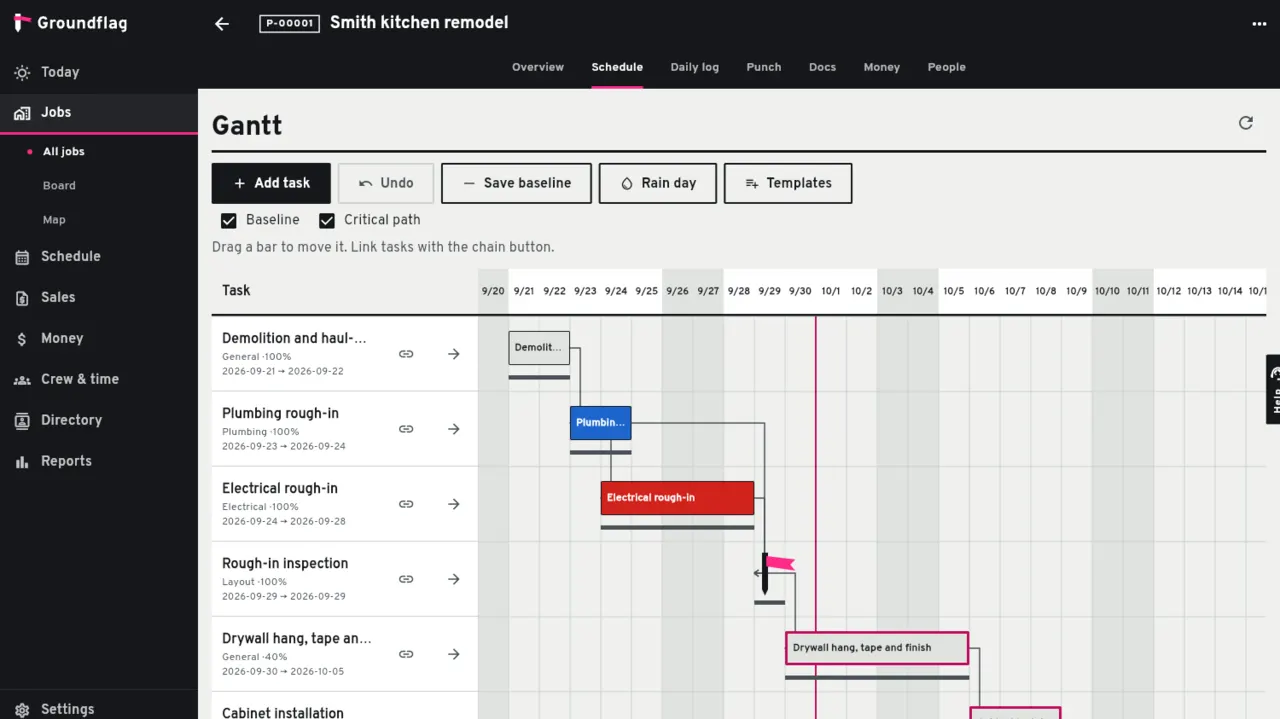
Plan the work.
Use a Gantt schedule with task dependencies, then keep the daily log, crew time, photos and documents on the job.
See the job money.
Track budget, committed and actual costs by cost code, and keep estimates, invoices and change orders with the project.
Let the client act.
Clients can review and approve estimates, sign change orders, pay invoices or deposits, and exchange files in the Groundflag portal.
Bring the field along.
The foreman can dictate a daily log in English, Spanish or Portuguese; Groundflag drafts it for review and signature.
Know what is not there yet
Groundflag's public booking page handles direct booking or an estimate request with photos. It does not yet let each company choose between a request for later review, a scheduled assessment, and a direct job, or collect a card during intake. The client portal also does not yet show appointment history, arrival windows, or the assigned crew profile. If those service-booking flows are central to your business, Jobber covers more of that workflow today.
Side by side
| Groundflag | Jobber | |
|---|---|---|
| Online intake | Direct booking or estimate request with photo upload | Requests, assessment booking and direct job booking |
| Card during booking | Not yet | Can collect card details during request or booking |
| Client portal | Estimate approval, change orders, invoices, deposits and files | Requests, quotes, invoices and appointment details |
| Construction schedule | Gantt with task dependencies | Scheduling for service work |
| Daily field record | Voice-drafted daily log, plus job photos and time | Service job forms and field records |
| Job costs | Budget, committed and actual by cost code | Job costing and business reports |
Questions
Is Groundflag a fit for a home service company?
It can fit a contractor who manages projects with schedules, change orders and job costs. If your day is mainly dispatching short service calls and clients need appointment tracking, Jobber has more of that flow today.
Can my clients approve work and pay online?
Yes. Clients can approve estimates, sign change orders, pay invoices or deposits, and access shared files in the Groundflag portal.
Sources
- Jobber Online Booking help, checked on October 14, 2026
- What clients see in Jobber Client Hub, checked on October 14, 2026
Keep reading
Questions? Write to hello@groundflag.com