Get paid online
Clients pay invoices and deposits in your client portal, into your own payment account.
Open Settings, Payment Gateways.
The owner or an admin does this once for the company.
Connect your account.
Choose Stripe and follow its own sign-up, or use a provider you already have, such as Helcim.
Send an invoice.
The client opens it in the portal and pays by card; a deposit can be asked with an estimate or a change order.
Bank transfers
ACH bank transfer works through Stripe, QuickBooks Payments and Helcim. Payments come in on the invoice they pay.
With Connect with Stripe, Groundflag asks Stripe to turn on bank payments for your account; there is no switch to find. Until Stripe finishes, Payment Gateways says bank payments are turning on, and card works meanwhile. With QuickBooks Payments or Helcim, bank payments follow what that account has turned on.
The bank option does not show on the invoice
Stripe takes a US bank account only in US dollars. If your company currency is anything else, the client sees the card form and no bank option, even with bank payments active in Stripe.
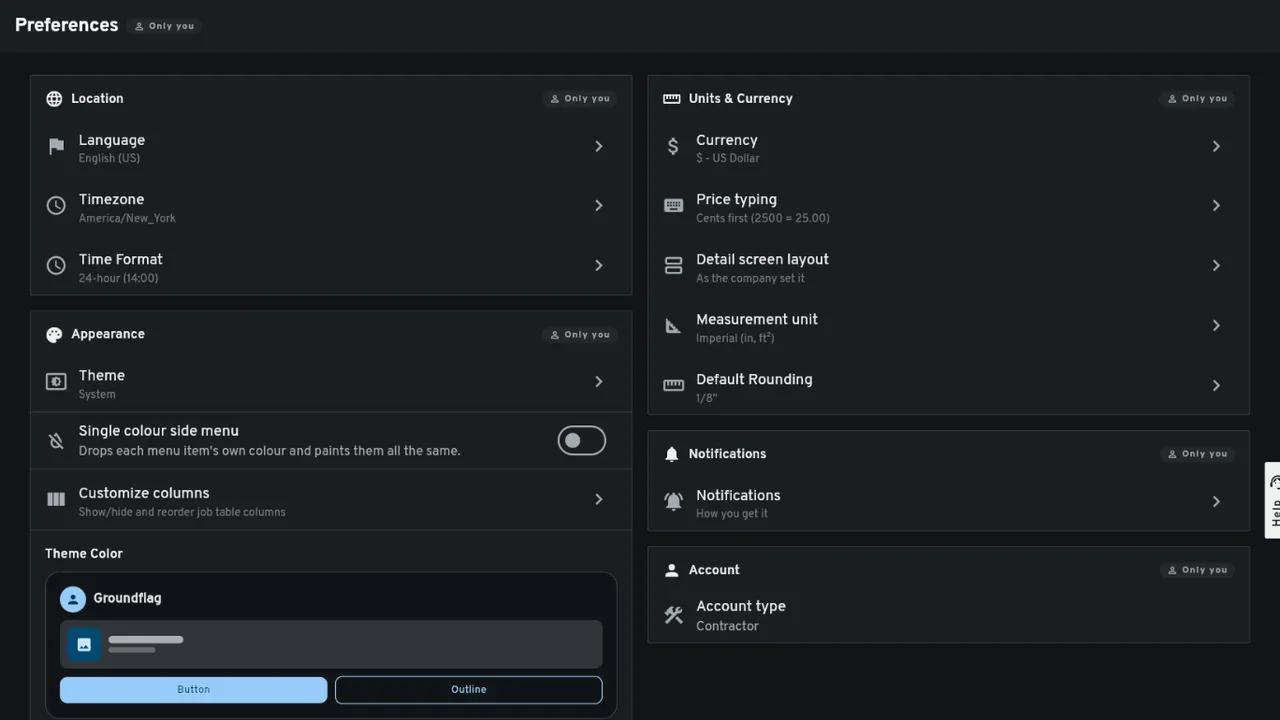
Open Settings, Preferences, and look at Currency under Units & Currency. If it does not say $ - US Dollar, tap it and pick US Dollar. Invoices and estimates you create from then on are in dollars.
An invoice you already sent keeps the currency it was created in. Write to us in the support chat (Help, at the bottom of the menu) with the invoice number and we switch it; the client then reloads the payment page and sees the bank option.
Bank transfer only above an amount
A card fee on a large progress payment adds up: 2.9% of a $40,000 draw is $1,160. Open Settings, Invoice Settings, and fill in Bank transfer only above. When an invoice's balance is above that amount, the portal takes bank transfer only and hides the card form; smaller invoices still let the client choose.
It applies to invoices paid through Stripe, QuickBooks Payments and Helcim. With Square, PayPal, Finix and Fluid Pay there is no bank transfer to switch to, so the card stays open. Leave it empty to turn it off, which is how every company starts.
A deposit asked with an estimate follows the same limit when you take payments through Stripe or QuickBooks Payments: a deposit above it is paid by bank transfer.
Questions
Stripe says bank payments are active, so why do my clients only see the card?
Your company currency is probably not US dollars. Stripe takes a US bank account only in dollars; change it in Settings, Preferences, Currency, and ask us to switch any invoice already sent.
Does the limit look at the invoice total or what is left to pay?
What is left to pay, the balance. An invoice of $50,000 with $45,000 already paid takes a card for the last $5,000 if your limit is $10,000.
Can my client download a receipt after paying?
Yes. Once a payment is completed, the client portal shows Download Receipt (PDF) on the confirmation page and on each paid line of the invoice. It is a PDF with your company, the invoice and job, how it was paid, the amount, any tip or fee on its own line and what is left to pay, in the client's language. A bank payment still pending has no receipt yet.
Keep reading
Questions? Write to hello@groundflag.com